Menu
Menu module is needed to create and manage navigations on the front page website.
Every created menu in Alfred, in order to display its items on front page, needs to be set up in the code. By default, only top and footer menus are prepared (you can access $topMenu and $footerMenu in blade templates), however sometimes design requires adding more menus. To make the items from menus accessible in blade templates, you need to go to App/Website/Services/Menus/MenusGlobalService.php file and add a new menu. Of course you have to go to Alfred --> Menu first and add the menu(s) and the links in order to start displaying them on front page. Remember that the order of menus visible on the list in Alfred (in Menu module) is important.
Submenus
If on the design there is a menu element that after clicking reveals another submenu, in the Menu Settings you need to check the Multi-level menu tickbox (this way it is possible to add the submenu items per each main menu item). Please also use the non_clickable option (see an example below on this page) if some main menu item’s purpose is only to reveal the submenu, and does not have any URL specified or is just a heading in the menu.
CSS classes
Sometimes in the menu design, you can see that menu items have different colour, some dedicated look - take a look at the example below on the screenshot (there is a green link):

If the menu element from the HTML perspective differs to other menu items only with just CSS class, Alfred gives an ability to specify a list of available CSS classes in the Menu Settings that Alfred User can select per each menu item (feel free to edit it):
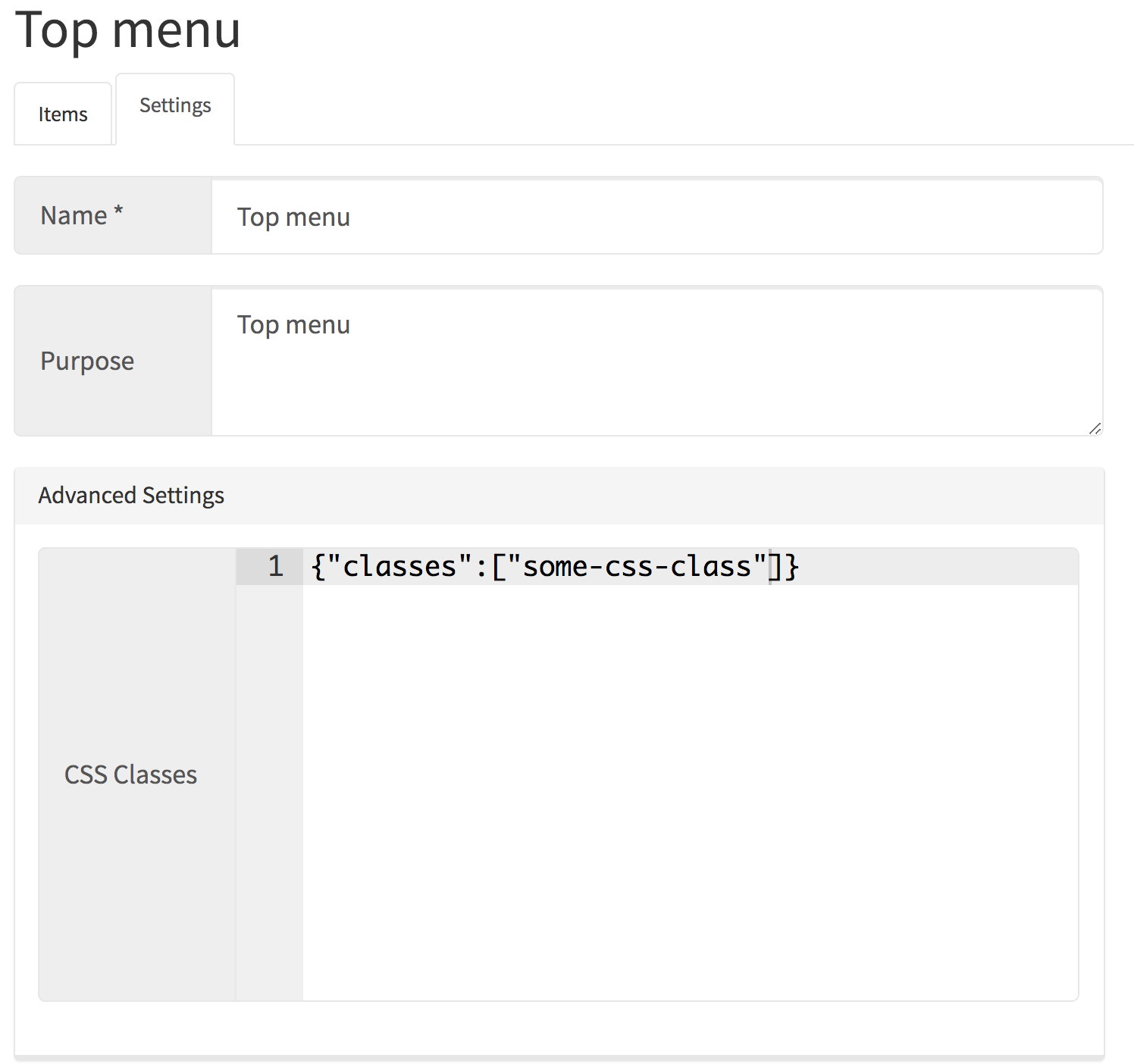
As soon as menu is saved, in single menu item, you can see that CSS class on the list:
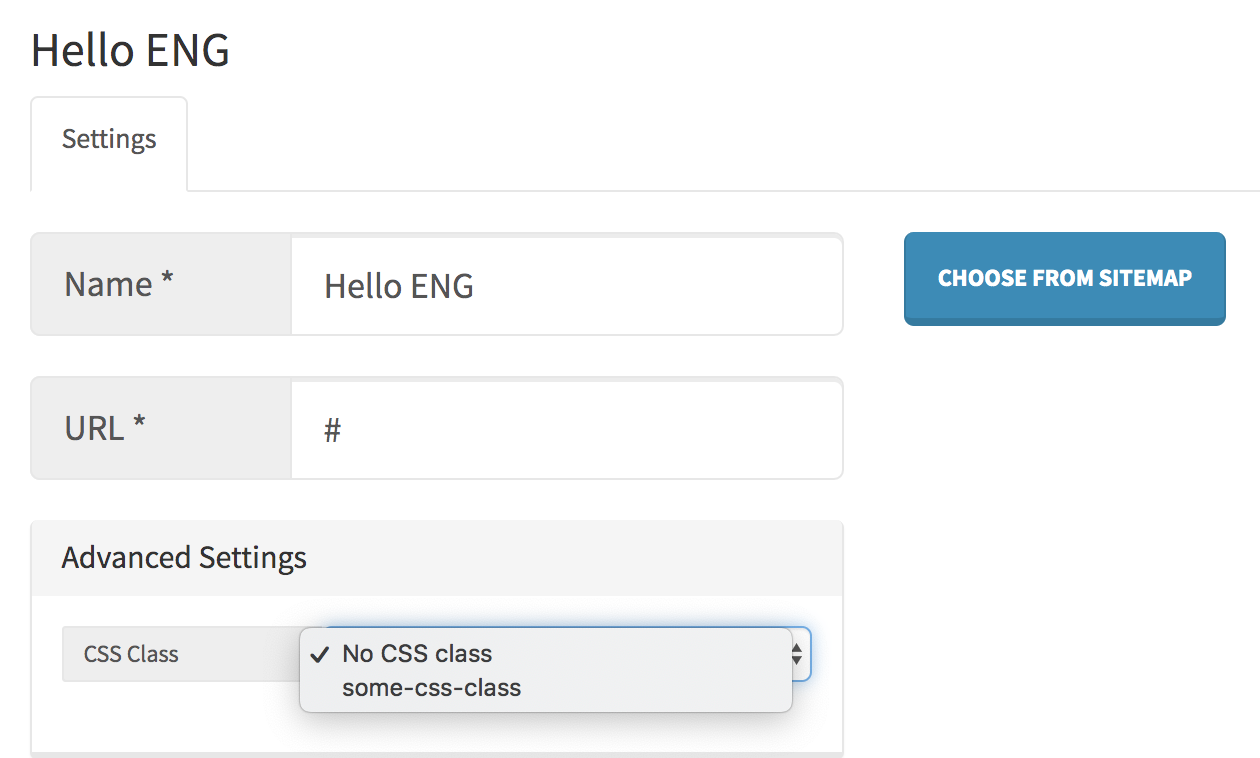
This way you can display the CSS class on front page if admin has selected it in a specific menu item.
Attention please: on front page please remember to take care of all the possible to choose/set options in each menu items - for example if menu item has an option to set opening link in a new tab - bring a support for it on front page!
Menu implementation (examples)
The blade templates responsible for all the menus are located in: resources/views/Menus. Please manage the code of all the menus over there!
Example of menu implementation (no submenu)
@if (!empty($topMenu))<ul>@foreach ($topMenu as $menuItem)<li><ahref="{{ $menuItem->url }}"title="{{ $menuItem->name }}"@if (!empty($menuItem->new_tab))target="_blank"rel="noopener noreferrer"@endif>{{ $menuItem->name }}</a></li>@endforeach</ul>@endif
Example of menu implementation (with submenu)
@if (!empty($topMenu))<ul>@foreach ($topMenu as $menuItem)<li>@if (!empty($menuItem->non_clickable))<span>{{ $menuItem->name }}</span>@else<ahref="{{ $menuItem->url }}"title="{{ $menuItem->name }}"@if (!empty($menuItem->new_tab))target="_blank"rel="noopener noreferrer"@endif>{{ $menuItem->name }}</a>@endif@if (!empty($menuItem->children))<ul>@foreach ($menuItem->children as $childItem)<li><ahref="{{ $childItem->url }}"title="{{ $childItem->name }}"@if (!empty($childItem->new_tab))target="_blank"rel="noopener noreferrer"@endif>{{ $childItem->name }}</a></li>@endforeach</ul>@endif</li>@endforeach</ul>@endif
Partials
It is a common case when in the top bar (navigation) or footer you can see copyright text, some standalone CTA button or social media links.
Place in Alfred where the texts or some custom buttons should be manageable is Partials module - please add fields to make them editable over there.
Social Media links are manageable via Settings -> Website Settings -> SEO tab in Alfred. You can read more about in Settings page of this documentation how to get them implemented in website blade templates.