Module & Component Setup
Once Alfred is installed, you need to set up & configure at least modules first that will be used in a project. Components (that are related to sections) can be configured later.
Modules’ and components’ configuration can be found in the config/cms.php file.
By default, plain Alfred consists of only 2 main modules: Pages and Forms. There are also other built-in modules (it is better to call them Alfred functionalities) such as Menus, Partials, Universal Sections, Components and Settings. If you do not need any of them - simply remove the module config entry from the configuration file to stop displaying it in the left menu of Alfred.
In terms of components - only 2 components are available by default: Logos and People.
In order to configure Alfred, you need to edit the config/cms.php file and specify a list of available modules needed in your project (visible in the left menu of Alfred) and components. If you want to install some module - follow its installation process. Same about components. However, if your project does not need any components at all - it is completely fine to just get rid of the Components link from the left menu (remove it in config/cms.php).
Feel free to configure the modules or components as you want - all depends on your project. Create new modules or use the existing ones and adjust them. Sky is the limit.
Modules configuration
Under the modules index in the config/cms.php you can see the list of available modules. Below it is an example of the Blog module and explanation of the settings.
Please create and configure only as many modules as your project requires.
['name' => 'Blog','visibleInCmsMenu' => true,'route' => 'blog','cssClass' => 'pencil','restrictedMethods' =>['categories','update','store','destroy','publish'],'contentModule' => true,'nameModule' => 'blog','actionModule' => 'category','viewModule' => 'all','slugModule' => 'blog','menuName' => 'Blog',],
If you want to create your own module, please copy the module configuration above and paste it in the modules array of config/cms.php.
Meaning of the module config settings:
name(string): it is the module name, purely to help identifying the module in theconfig/cms.phpfile.visibleInCmsMenu(boolean): based on this setting, the module will be visible in the left menu of Alfred.route(string): it is the AngularJS route to the module, specified in theroutes.jsof every AngularJS module.cssClass(string): it is the CSS class responsible for the icon displaying in the left Alfred menu; the icons come from Glyphicons.restrictedMethods(array): the methods that you want to control in the Settings -> Groups when adding / editing some user group; all the options are shown over there as the checkboxes and should be perceived as the permissions within the module;contentModule(boolean): modules can be content or non-content; it should betrueif the module’s purpose is the content creation; all other purposes -false.nameModule(string): it is needed for highlighting the left menu link/tile in Alfred when user is inside the module (active state); all depends on AngularJS controller names but in most cases it should be just the same as the module name and the JS controllers should have it in their name (example:NewsArticleController- this way thenameModuleset tonewswill be used to be checked if the JS controller has this string in its name (without capitalisation) and menu tile will be highlighted then).actionModule(string): it should be the value as in thepagesdatabase table, in the action column. It is needed for adding a new language via Settings -> Languages in Alfred (it will create the main module page in thepagesmodule with theactionspecified here).viewModule(string): it should be the value as in thepagesdatabase table, in the view column. It is needed for adding a new language via Settings -> Languages in Alfred (it will create the main module page in thepagesmodule with theviewspecified here).slugModule(string): it should be the value as in thepagesdatabase table, in the slug column. It is needed for adding a new language via Settings -> Languages in Alfred (it will create the main module page in thepagesmodule with theslugspecified here).menuName(string): it is the module name that is visible in the left hand side menu of Alfred.
Remember: it is essential to set all the settings above correctly, because when setting up a new language via the Settings → Language section in Alfred, every newly created language creates the initial main entries in the pages database table per available modules from this config. Please see the initPagesForNewLanguage() method in Cms\Modules\Pages\Services\PagesService file to see how it looks.
Components configuration
In the config/cms.php, under the components index, you can see a list of available component types. The settings are quite self-explanatory.
Please create and configure only as many components as your project requires.
['id' => 'people','name' => 'People','table' => 'people'],
The id is needed to save a new component using the component type id (a use case: you create a Meet the Team component based on People Component. The name is the name visible on the available components list when you select the component type. The table indicates which database table it uses (if table is specified as people it means the database table is component_people)).
Example
Once some component type is configured via config/cms.php, it is available on the list of components in Alfred (go to Components module in the left menu).
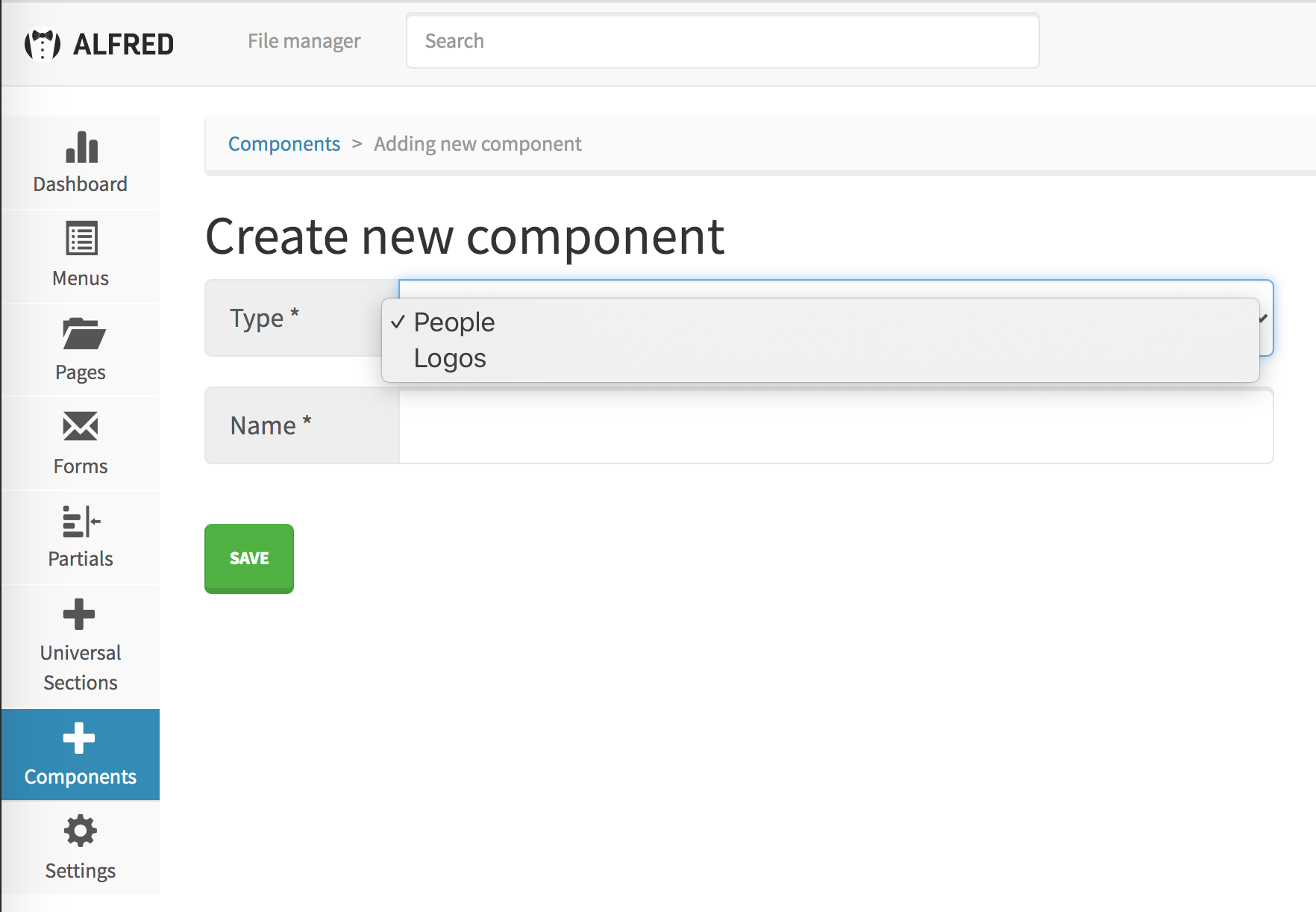
Once some component type is selected and the component name specified, it will allow Alfred Users to add the records within the component.